
Download Steam Mover – Game Relocation, PC Gaming, SSD Optimization, Game Library Management
Overview
Steam Mover is a utility application designed for PC gamers seeking efficient ways to manage their digital game libraries. Developed by Jason K. Menard, the tool simplifies the process of relocating installed games across different storage drives, particularly beneficial for users with mixed storage setups—such as fast SSDs and larger HDDs.
The app enables users to move games from one drive to another without disrupting game installations or requiring re-downloads, streamlining storage optimization. It supports games from Steam, Origin, and DRM-free platforms, making it a versatile solution for multi-platform gamers. By allowing selective relocation, Steam Mover helps users prioritize performance by keeping frequently played titles on faster drives while offloading less-used games to slower, higher-capacity storage.
This approach enhances load times and overall system responsiveness during gameplay. The application serves as a practical tool in the PC gaming ecosystem, addressing a common pain point: limited SSD space. Its long-standing presence since 2015 indicates consistent utility and reliability.
While the developer did not provide additional technical details about updates or future plans, the app remains relevant due to its focused functionality and zero cost. It is especially valuable for users who frequently reorganize their libraries or upgrade storage hardware.
Key Features & Functionality
- Easy Game Relocation: Steam Mover automatically scans and detects installed games on connected drives. Users can select specific titles for transfer with minimal input, reducing the need for manual file manipulation.
- Multi-Platform Support: The tool recognizes games installed through Steam, Origin, and DRM-free sources, enabling centralized management regardless of the distribution platform.
- Optimized Storage Management: Gamers can strategically place high-performance titles on SSDs while moving older or less-played games to HDDs, improving access speed and system efficiency.
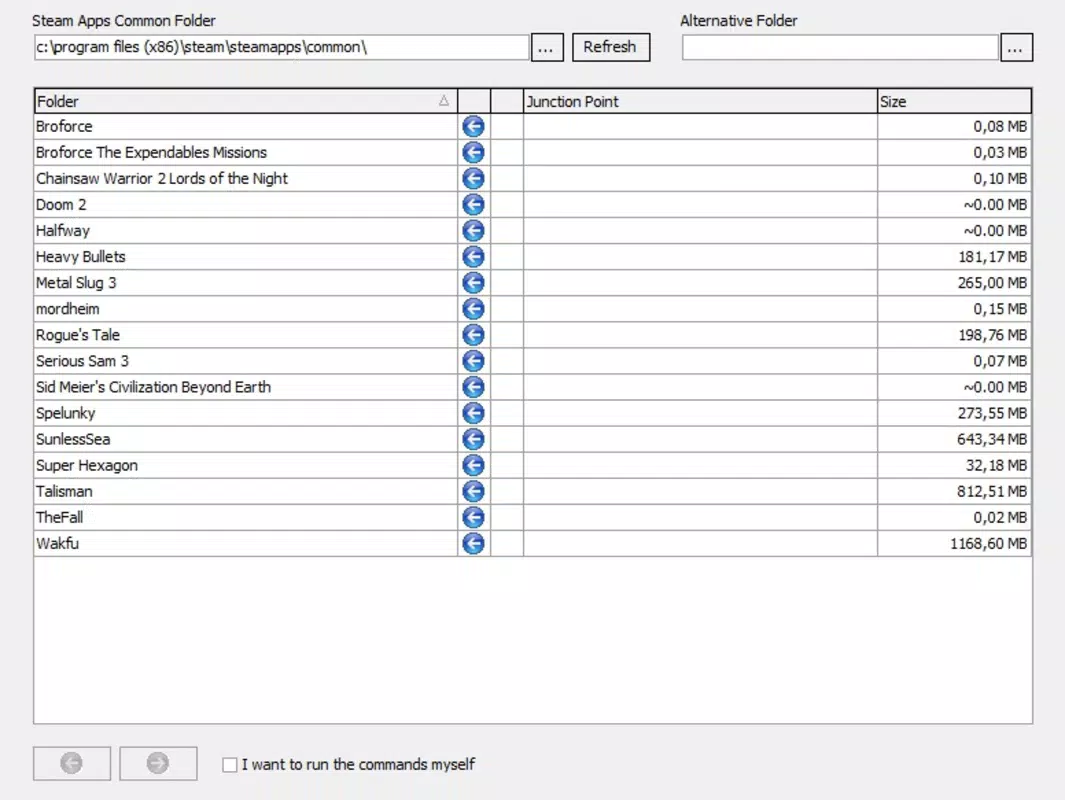
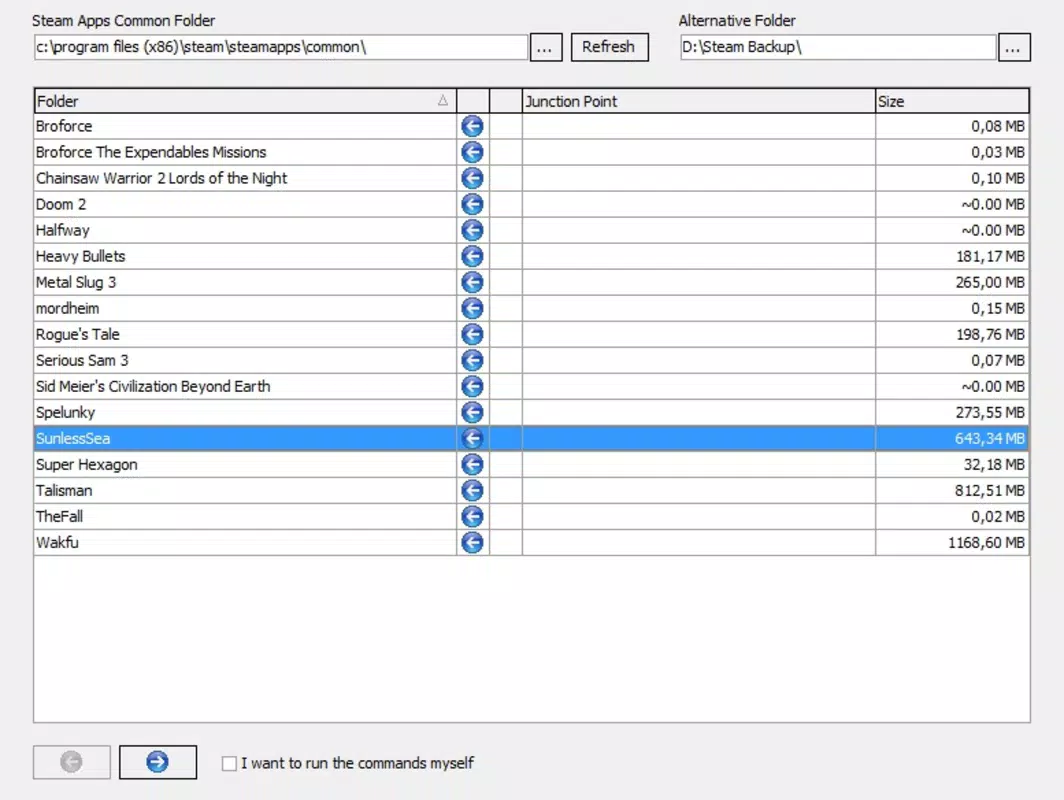
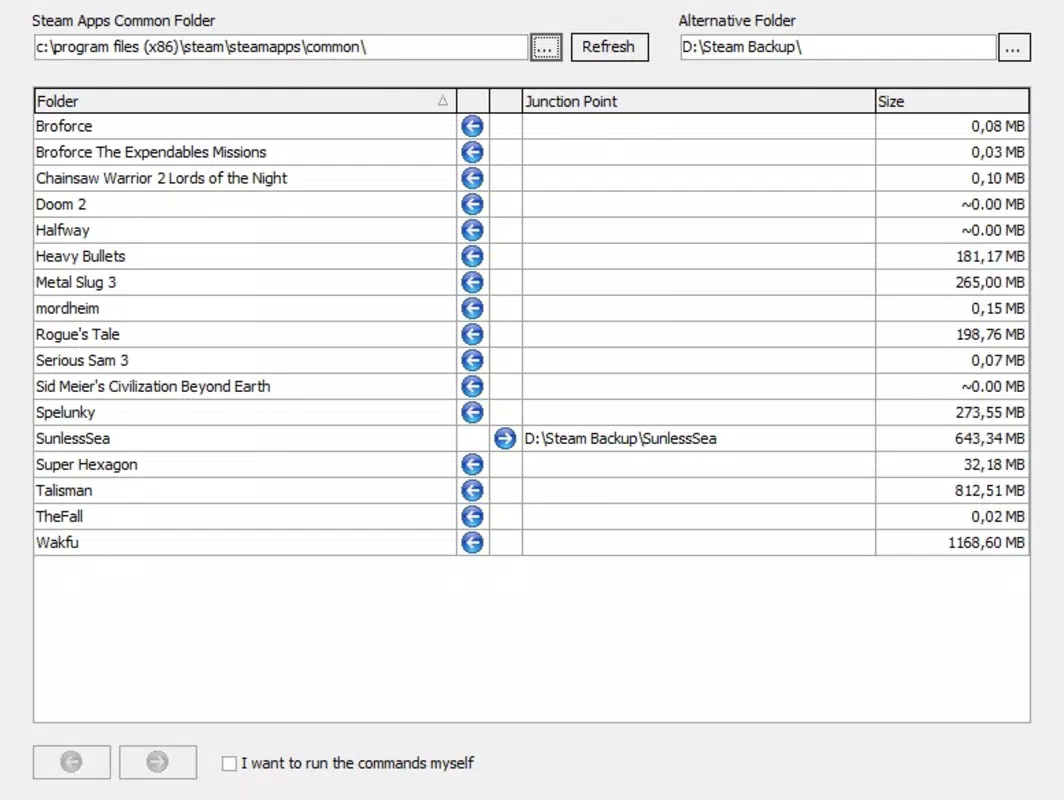
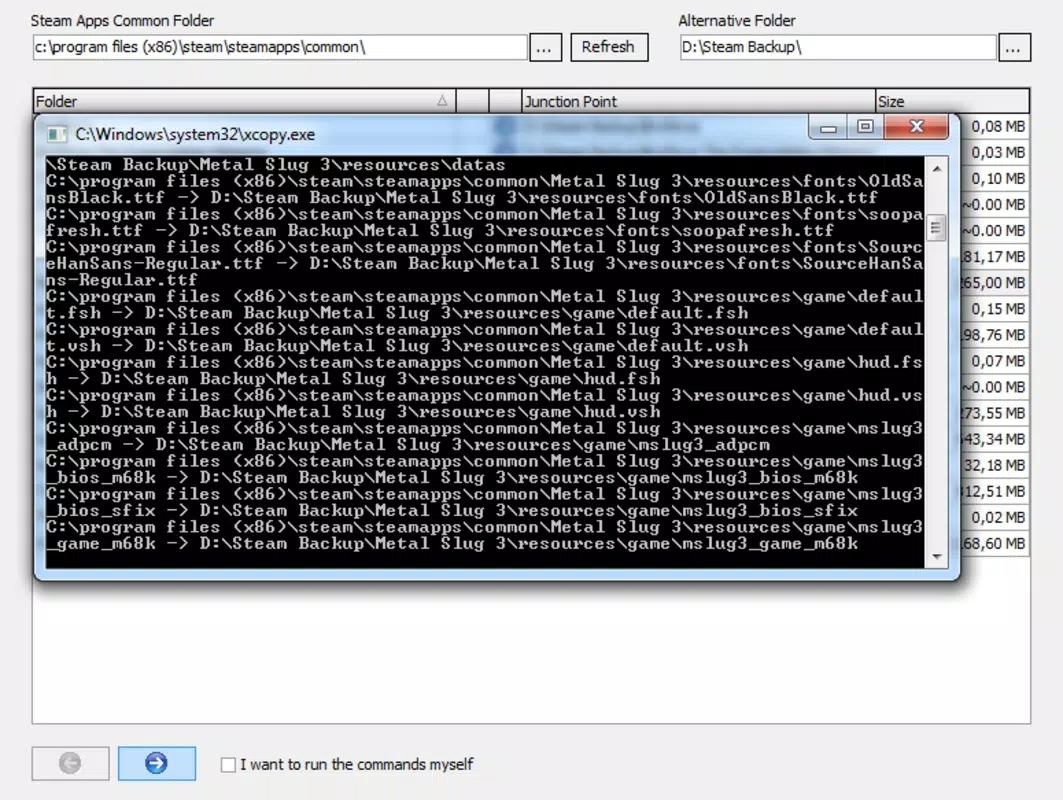
- User-Friendly Interface: The layout is straightforward and intuitive, guiding users through selection and transfer steps with clear visual feedback, suitable even for non-technical users.
- Fast Transfer Speeds: Depending on file size and drive speed, transfers complete in seconds to minutes, minimizing downtime between game setups.
For example, a user with a 500GB SSD and a 2TB HDD can use Steam Mover to move a large open-world game from the HDD to the SSD before a gaming session. After finishing, they can return it to the HDD to free up space. This workflow enhances performance without requiring additional storage investment. The tool also helps users prepare for hardware upgrades by simplifying the migration of game libraries between systems.
Interface, UX & Performance
Steam Mover features a clean, minimalist interface that prioritizes clarity and ease of navigation. The main window displays a list of detected games with basic metadata such as title and source platform, allowing for quick identification. Users can filter or search games, select multiple entries, and initiate transfers with a single button.
The process is linear and predictable, reducing the risk of user error. Although the developer did not list formal performance metrics, the app operates efficiently within typical Windows environments. Transfers are handled in the background, with minimal impact on system resources during operation.
The tool does not require elevated permissions for standard use, enhancing accessibility. Responsiveness is maintained across various device configurations, though specific hardware benchmarks were not disclosed. Stability appears consistent based on its long-term availability and minimal reported issues.
The app maintains a lightweight footprint, with a file size of just 2.7 MB, contributing to quick loading and low memory usage. While no real-time progress indicators were detailed, the transfer status is typically visible through on-screen notifications. Overall, the user experience is smooth and focused on core functionality.
Platform Compatibility & Technical Requirements
Steam Mover is designed exclusively for the Windows operating system. The app is compatible with Windows platforms, though the developer did not specify minimum OS requirements. The current version is 1.3.1, released on July 2, 2015.
The application has a compact file size of 2.7 MB, making it easy to download and install on systems with limited bandwidth or storage. No additional dependencies or runtime libraries were mentioned. The tool does not require an internet connection after installation, ensuring offline usability.
Specific hardware requirements were not listed. Compatibility with modern Windows versions (such as Windows 10 and 11) is assumed based on its continued availability, though official confirmation was not provided. The developer did not disclose whether the app supports portable installations or command-line execution.
Users should ensure their system meets general Windows compatibility standards for running desktop utilities.
Pros and Cons
- Free to download and use with no hidden costs
- Lightweight design at just 2.7 MB
- Supports multiple gaming platforms including Steam and Origin
- Intuitive interface suitable for non-technical users
- Efficient game relocation without reinstallation
- Released in 2015, so may lack modern UI enhancements
- No official update history or changelog provided
- Compatibility with newer Windows versions not explicitly confirmed
- Does not support mobile platforms or cloud-based game libraries
- Limited technical documentation or user guides
FAQ
Is Steam Mover safe to use?
Yes, Steam Mover is a trusted utility developed by Jason K. Menard. It operates by relocating game files and updating launch paths without altering game data. Users are advised to ensure they have backups before moving large game libraries.
Can I use Steam Mover on Windows 10 or 11?
While the developer did not specify compatibility with newer Windows versions, the app has been used successfully on modern systems. It is recommended to test the application on your system before relying on it for critical transfers.
Does Steam Mover require an internet connection?
No, the tool does not require an internet connection after installation. It functions entirely offline once set up.
Can I move games from one drive to another without reinstalling?
Yes, Steam Mover allows users to move games between drives without re-downloading or re-installing. It updates the game’s launch path to reflect the new location.
Is Steam Mover available for Android or iOS?
No, Steam Mover is designed exclusively for Windows and is not available on mobile platforms.
Final Thoughts
Steam Mover remains a reliable and efficient solution for PC gamers managing their digital libraries. Its ability to relocate games across storage drives without reinstallation offers significant time and space savings. While the app has not seen a major update since 2015, its core functionality continues to meet the needs of users with mixed storage setups.
The lightweight design, free pricing, and multi-platform support make it a valuable tool in the gaming utility space. Gamers who value performance optimization and organized storage will benefit most from this tool. For those with limited SSD space but a large game collection, Steam Mover provides a practical workaround.
Its simplicity and focus on a single purpose ensure it remains effective over time. Download Steam Mover now to streamline your game library management and enhance your gaming experience.


